Skip to content

Protecting business accounts and information

Most businesses use tools that can be exploited by criminals and other hostile actors to access your systems, data or money. Securing your accounts and controlling access can reduce the risk.

Start with the Cyber Action Toolkit and free resources

The National Cyber Security Centre (NCSC) is the UK authority for cyber security and publishes information that can help you protect your business against cyber threats.

Its Cyber Action Toolkit provides a list of actions you should complete to protect your accounts, devices and data.

Sign up for early warning alerts

NCSC’s Early Warning System alerts you if it learns that your business has been exposed to known cyber threats, like attempted attacks or data leaks.

Use your local cyber resilience centre

Cyber resilience centres across England and Wales can offer local support to businesses who want to improve their cybersecurity.

Check your business for security weaknesses

Weak points in your email, website or other systems can give hackers access to your business.

Use NCSC’s online tool to check for vulnerabilities and understand where your business may be at risk.

Human error can be the main point of weakness for a business, so make sure anyone with access to your systems understands basic cyber risks and can spot suspicious activity.

Strengthen account security

Passwords that are weak, shared or reused make it easier for criminals to take over accounts, especially if account details are leaked from another website.

Improve password and account security by:

  • using passkeys, like fingerprint or face ID, if the option is available
  • using a password manager to store and generate passwords
  • turning on multi-factor authentication whenever it’s available, so that passwords are only one part of account security
  • not sharing passwords across platforms or between users

Strong protection

  • Using passkeys or multifactor authentication to sign in
  • Generating unique passwords for every account
  • Using password managers to generate and store complex passwords
  • Setting up alerts so you get an email if someone logs in from a new device or location

Weak protection

  • Relying solely on passwords to sign in
  • Using the same password across different accounts and platforms
  • Storing passwords in unencrypted files or documents
  • Using your social media login for every web service – if you lose access to this, you could lose access to everything

Control who can access your systems

Unused or shared accounts can be a real security risk to your business.

Do a regular review of who has access to business accounts, such as email, online banking, payment systems, website admin, social media accounts and shared file storage.

Check if you’re still giving access to:

  • former staff or any staff on long-term leave
  • external consultants, freelancers or agencies
  • suppliers or service providers

Remove any account or login that is no longer needed. Suspend and review any accounts that may still be needed but haven’t been used in the last few months.

Keep software and platforms up to date

Outdated software can contain weaknesses that criminals can exploit to gain access to your systems and data.

To minimise risk:

  • turn on automatic updates, where possible
  • keep websites, browsers, apps and plugins up to date
  • remove any software you no longer need and old software that is not supported
  • make sure systems handling payments and personal data are fully updated

Back up important business information

Backups let you recover data so your business can recover quickly if files are lost or damaged, through a cyber attack or normal human error.

Review and improve your security regularly

Security risks can change over time as criminals get more sophisticated and your staff, systems and processes change.

Cyber Essentials is a government-backed certification scheme that helps you protect your business from common online security threats. You can become certified by:

  • using the free online materials to assess your business against the requirements and paying for an assessment
  • hiring a Cyber Essentials adviser or certification body to take your business through the process

Businesses preparing for Cyber Essentials certification can get a free advice session from a cyber adviser.

Protect your business with the free Cyber Action Toolkit

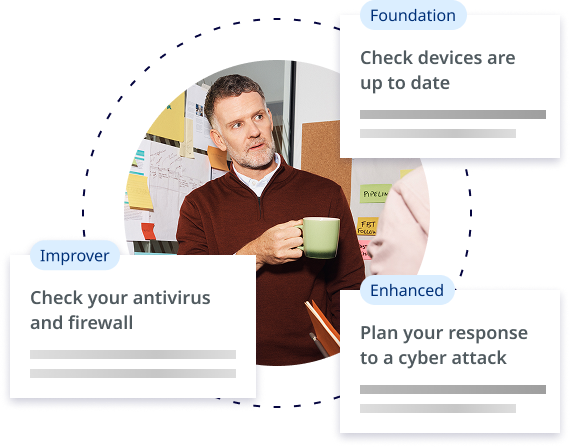
Clear, bite-sized actions to protect your business's money and reputation from cyber criminals, whatever your level:

  • foundation – urgent first steps
  • improver – best practice for devices, data and staff
  • enhanced – ready to respond to a cyber incident

Something went wrong. Please try again.

Was this page useful?

Thanks for letting us know

Can you tell us why this page was useful?

Do not share any personal or commercially sensitive information.

Cancel feedback form and refresh page

Thanks for letting us know

Can you tell us more about your feedback?

Do not share any personal or commercially sensitive information.

Cancel feedback form and refresh page

Thanks for your feedback